Overview
The Ride & Drive Dashboard provides details on vehicle reservations, exports and access to make changes on behalf of the attendee.
Ride & Drive Dashboard Intro
On the top of the dashboard there is a tab for each section:
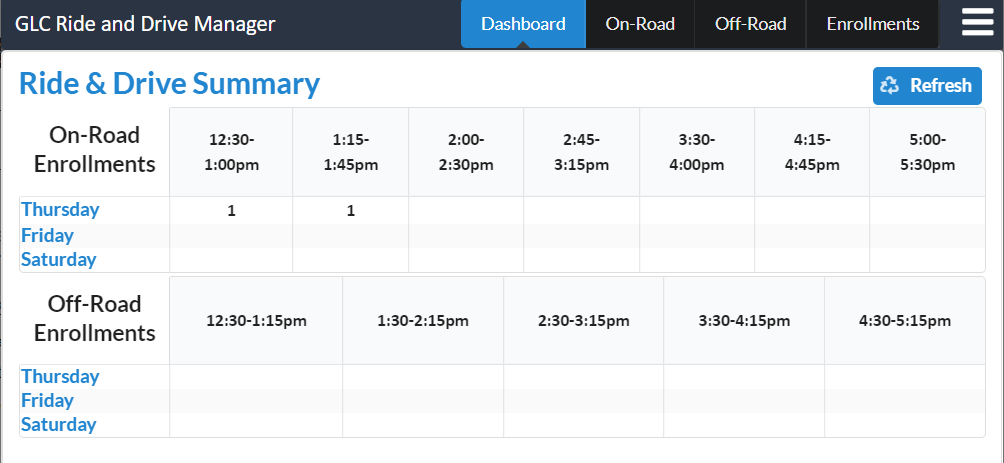
The Dashboard tab provides an overview of the timeslots and how many are reserved.
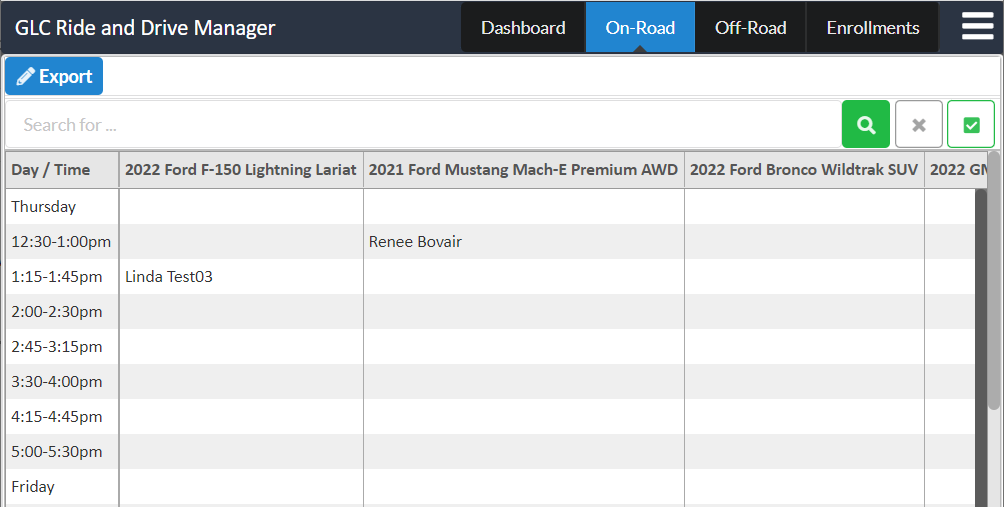
The On-Road and Off-Road tabs provide a grid of each car and timeslot with the name of the attendee if reserved.
The Enrollments tab provides details on each attendees reservations with an option to view or change the selections using the same UI the attendee uses as well as send the Ride & Drive invitation email with link.

The Dashboard Tab
The screenshot below shows the grid, this is simply an overview. Use the Refresh button is used to get the latest counts without refreshing the entire browser, no need to push the button on the initial loading of the page.
The On-Road and Off-Road Tabs
The screenshot below provide an example of the On-Road and Off-Road vehicle grids. Use the Export button to export the grid to a spreadsheet. Use the search options on the top to search for a person (but the Enrollments tab makes that easier).
Tip: Use the arrow keys to move left and right, up and down in the list – also page up and page down work to scroll.
The Enrollments Tab
The screenshot below shows the enrollments area, where you can view a persons enrollments.
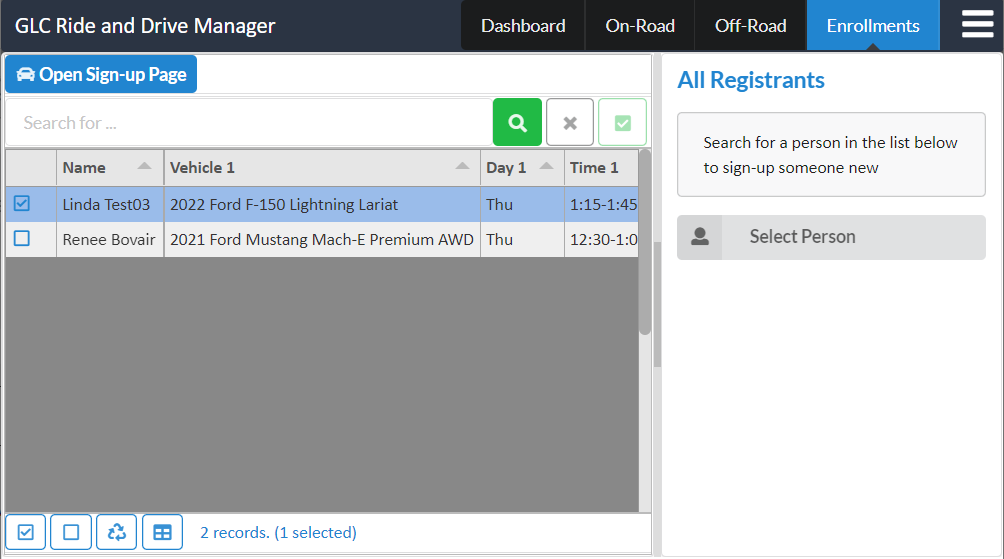
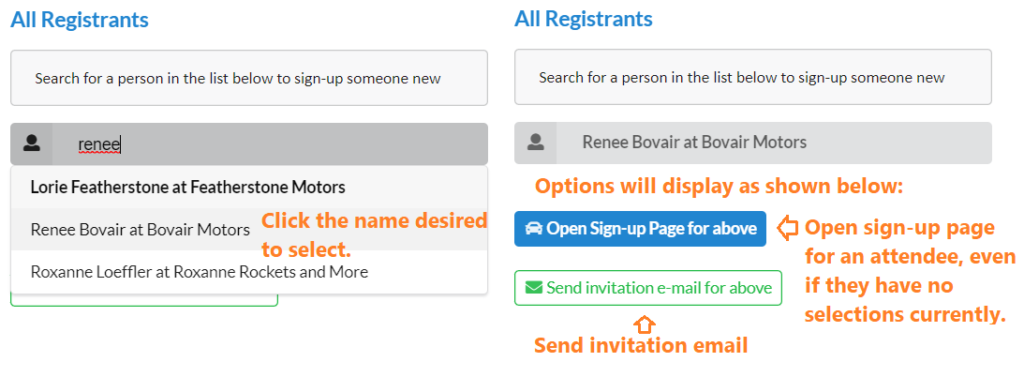
Use the Open Sign-up Page button to open the same sign-up page the attendee will see, it can be used to change the selections on their behalf if needed for support requests. The screenshot below shows an example of the reservation screen that shows (while in Sponsor Pre-registration mode). The buttons can be used by the admin team to make changes if desired.
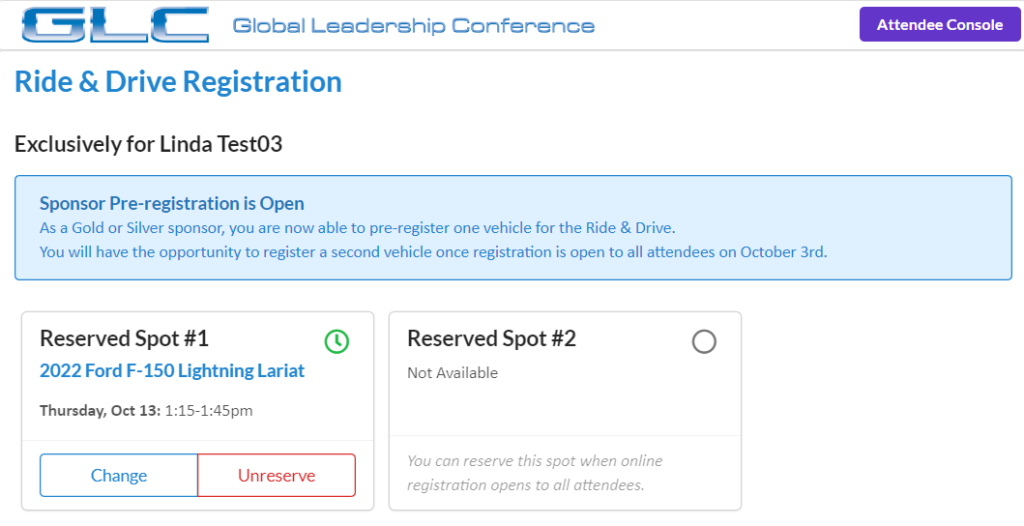
On the right section of the admin form you can search for any attendee, view their sign-up page (above) and optionally send an email to the attendee (during open enrollment period).
Summary
In years past the amount of support has been minimal and we will also email the latest details from the system once it is closed to assist in the process. We are here to help as needed before and throughout the conference.